> For the complete documentation index, see [llms.txt](https://docs.optitrack.com/llms.txt). Markdown versions of documentation pages are available by appending `.md` to page URLs; this page is available as [Markdown](https://docs.optitrack.com/readme.md).
# OptiTrack Documentation
## How to Use the User Guide
* Use the **Table of Contents** to navigate through the guide.
* In the Desktop view, the Table of Contents appears in the left pane.
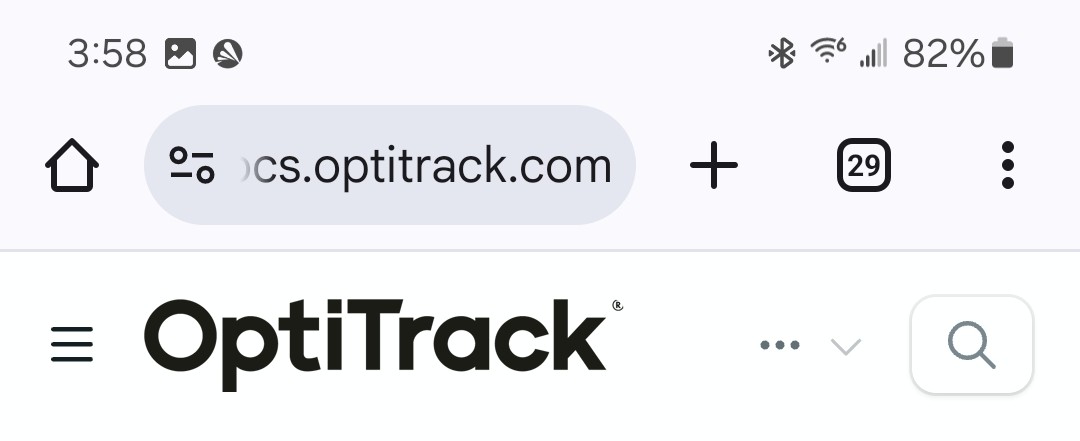
* In the Mobile view, click the Menu icon in the header to display the Table of Contents or to switch between different versions of Motive.
Mobile view header.
* Click any Chapter heading to go to that section, or use the button to display the chapter's contents.
* Quick Links and the Search Bar are always available in the desktop view's page header, or by clicking the 3 dots in the Mobile header:
The User Guide Header includes links to popular pages and the Search Bar.
* Navigate within a page using the page's Table of Contents on the right. If the page Table of Contents isn't visible, try increasing the size of the browser window.
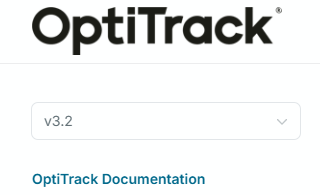
* Click the version number in between the OptiTrack logo and the Table of Contents to access documentation for earlier versions of Motive.
Click the version number to change versions.
Can't find the information you're looking for, or need additional help? Quick links on the page banner take you directly to:
* Resources on the OptiTrack website [http://www.optitrack.com](http://www.optitrack.com/)
* OptiTrack Support: [https://optitrack.com/support](https://optitrack.com/support/)
* NaturalPoint Forum Archive: [https://forums.naturalpoint.com](https://forums.naturalpoint.com/)
* OptiTrack Discord:
## Quick Links
Link directly to our most popular pages from the tabs below.
{% tabs %}
{% tab title="Getting Started" %}
### Getting Started
* [Quick Start Guide: Getting Started](/quick-start-guides/quick-start-guide-getting-started.md)
* [Prepare Setup Area](/hardware/prepare-setup-area.md)
* [Cabling and Load Balancing](/hardware/cabling-and-wiring/cabling-and-load-balancing.md)
* [Camera Placement](/hardware/camera-placement.md)
* [Installation and Activation](/motive/installation-and-activation.md) (with [Licensing](/motive/installation-and-activation.md#license-activation) information)
* [Aiming and Focusing](/hardware/aiming-and-focusing.md)
* [Motive Basics](/motive/motive-basics.md)
* [Calibration](/motive/calibration.md)
* [Data Recording](/motive/data-recording.md)
* [Quick Start Guides](/quick-start-guides.md)
{% endtab %}
{% tab title="Hardware" %}
### Hardware
* [Cameras](/hardware/cameras.md)
* [Camera Mount Structures](/hardware/camera-mount-structures.md)
* [Quick Start Guide Precision Capture](/quick-start-guides/quick-start-guide-precision-capture.md)
* [External Device sync guide eSync2](/synchronization/synchronization-hardware/external-device-sync-guide-optihub2.md)
* [Devices Pane in Motive](/motive-ui-panes/devices-pane.md)
{% endtab %}
{% tab title="Asset Tracking" %}
### Asset Tracking
* [Markers](/motive/markers.md)
* [Assets](/motive/assets.md)
* [Rigid Body Tracking](/motive/rigid-body-tracking.md)
* [Skeleton Tracking](/motive/skeleton-tracking.md)
* [Trained Markersets](/motive/trained-markersets.md)
{% endtab %}
{% tab title="Active Tracking" %}
### Active Tracking
* [Quick Start Guide: Active Marker Tracking](/quick-start-guides/quick-start-guide-active-marker-tracking.md)
* [Active Marker Tracking](/active-classic/active-marker-tracking.md)
* [IMU Sensor Fusion](/motive/imu-sensor-fusion.md)
{% endtab %}
{% endtabs %}
{% tabs %}
{% tab title="Streaming" %}
### Streaming
* [Data Streaming](/motive/data-streaming.md)
* [NatNet 4.0](/developer-tools/natnet-sdk/natnet-4.5.md)
* [OptiTrack Unity Plugin](/plugins/optitrack-unity-plugin.md)
* [Unreal Engine Plugin](/plugins/optitrack-unreal-engine-plugin.md)
* [Unreal Engine OptiTrack Live Link Plugin](/plugins/optitrack-unreal-engine-plugin/unreal-engine-optitrack-live-link-plugin.md)
{% endtab %}
{% tab title="Processing Takes" %}
### Processing Takes
* [Data Editing](/motive/data-editing.md)
* [Labeling](/motive/labeling.md)
* [Data Export](/motive/data-export.md)
{% endtab %}
{% tab title="Movement Sciences" %}
### Movement Sciences
* [Movement Sciences Markersets](/movement-sciences/movement-sciences-markersets.md)
* [NI-DAQ Setup](/movement-sciences/movement-sciences-hardware/ni-daq-setup.md)
* [Movement Sciences Hardware](/movement-sciences/movement-sciences-hardware.md)
{% endtab %}
{% endtabs %}
---
# Agent Instructions
This documentation is published with GitBook. GitBook is the documentation platform designed so that both humans and AI agents can read, navigate, and reason over technical content effectively. Learn more at gitbook.com.
## Querying This Documentation
If you need additional information that is not directly available in this page, you can query the documentation by asking a question.
Perform an HTTP GET request on the following URL with the `ask` and `goal` query parameters:
```
GET https://docs.optitrack.com/readme.md?ask=&goal=
```
`ask` is the immediate question: it should be specific, self-contained, and written in natural language.
`goal` is what the user is ultimately trying to achieve, the reason they need the answer. Sharing it helps GitBook give you a better, more relevant answer. A goal is most helpful when it describes the outcome the user wants rather than restating the question. For example, with `ask=how do I create an API token`, a goal like `automate deployments from our CI pipeline` lets GitBook tailor the answer to that use case.
The response will contain a direct answer to the question and relevant excerpts and sources from the documentation.
Use this mechanism when the answer is not explicitly present in the current page, you need clarification or additional context, or you want to retrieve related documentation sections.