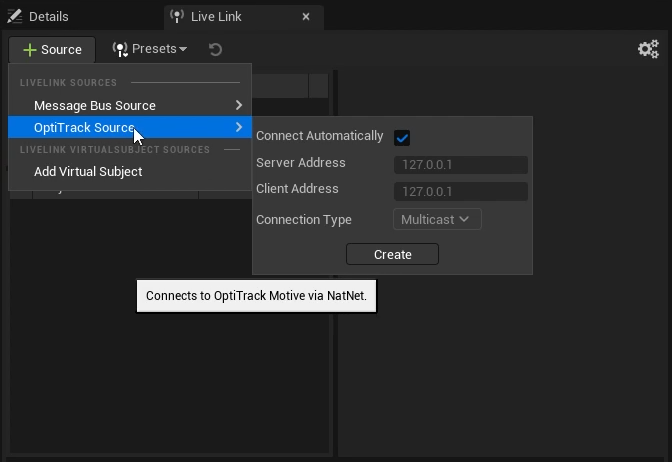
Add a Live Link source in Unreal Engine.
 button on the Live Link tab to add a new Live Link source.
* Select *OptiTrack Source*, check *Connect Automatically*, enter the IP address for the Motive PC in the *Server Address* field, the IP address for the Unreal PC in the *Client Address* field, and click *Create*. Enter 127.0.0.1 in both fields if running both on the same PC. Leave the Connection Type as Multicast and click create.
button on the Live Link tab to add a new Live Link source.
* Select *OptiTrack Source*, check *Connect Automatically*, enter the IP address for the Motive PC in the *Server Address* field, the IP address for the Unreal PC in the *Client Address* field, and click *Create*. Enter 127.0.0.1 in both fields if running both on the same PC. Leave the Connection Type as Multicast and click create.
Add a Live Link source in Unreal Engine.
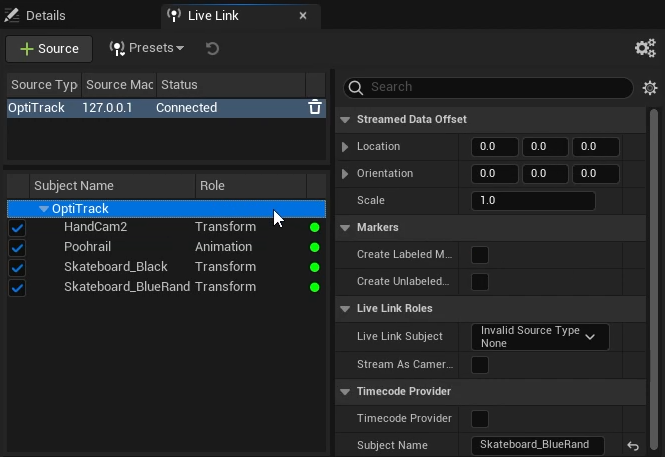
Unreal Engine Properties for the OptiTrack Live Link plug-in.
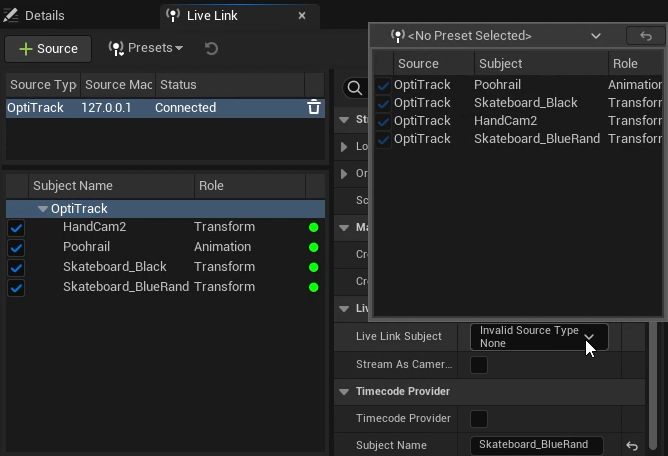
Select a Live Link Subject in Unreal Engine.
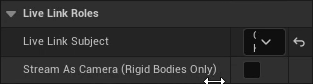
Stream as Camera setting in Unreal Engine.
 Quick Add button and start typing *OptiTrack* over the menu to activate the search function. Select the OptiTrack Live Link Display from the list of available options.
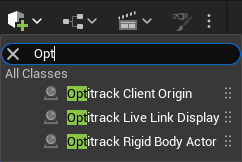
Searching from the UE Quick Add button.
 Add button to add a new component to the camera.
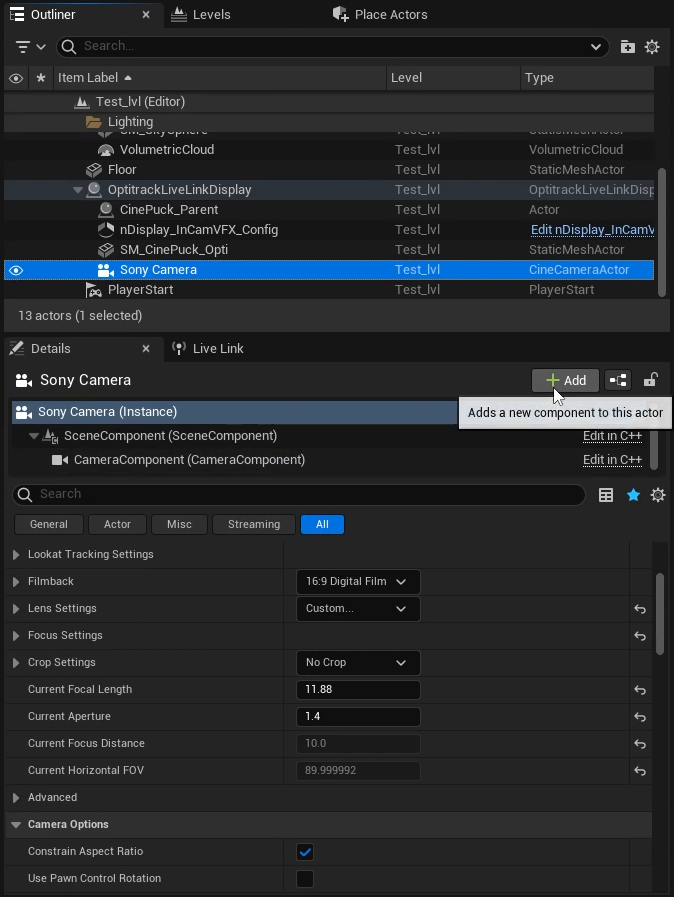
Camera Details in Unreal Engine: Add a new component.
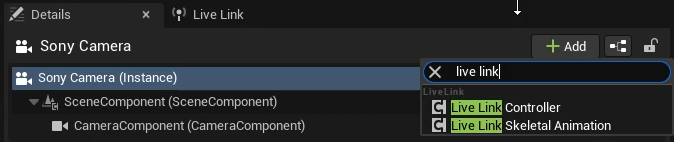
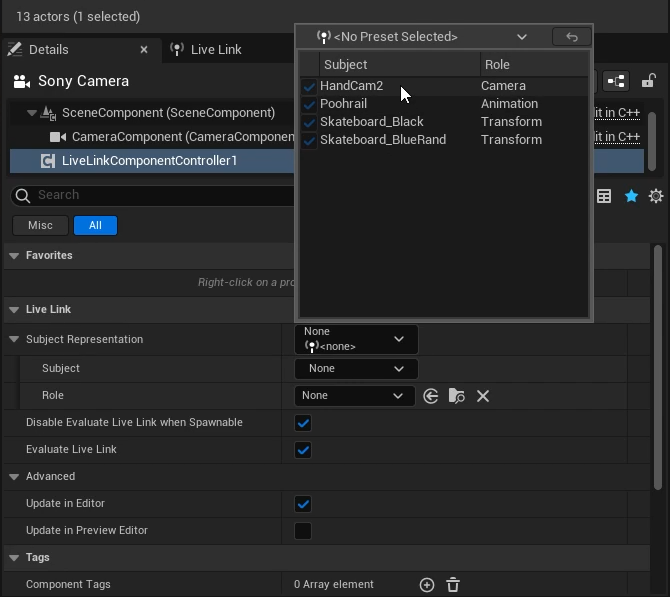
Properties for a new Live Link Controller component in Unreal Engine.
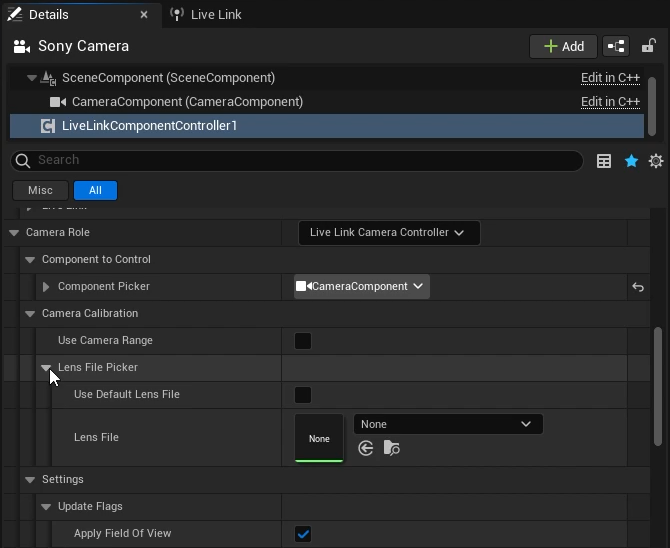
Live Link Component Camera Role properties in Ureal Engine.