All pages
Powered by GitBook
1 of 1

Loading...

OptiTrack Documentation

How to Use the User Guide

  • Use the Table of Contents to navigate through the guide.

    • In the Desktop view, the Table of Contents appears in the left pane.

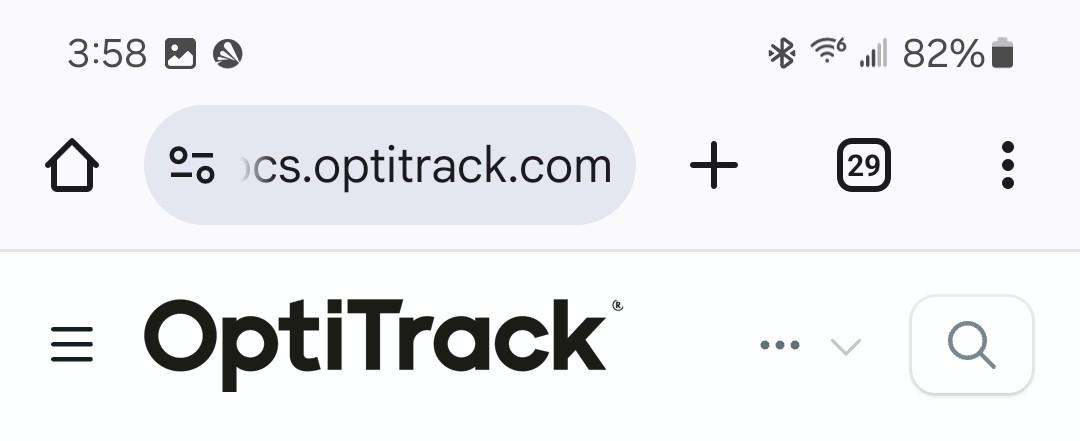
    • In the Mobile view, click the Menu icon in the header to display the Table of Contents or to switch between different versions of Motive.

  • Click any Chapter heading to go to that section, or use the button to display the chapter's contents.

  • Quick Links and the Search Bar are always available in the desktop view's page header, or by clicking the 3 dots in the Mobile header:

  • Navigate within a page using the page's Table of Contents on the right. If the page Table of Contents isn't visible, try increasing the size of the browser window.

  • Click the version number in between the OptiTrack logo and the Table of Contents to access documentation for earlier versions of Motive.

For versions of Motive 2.2 or older, please visit our old .

  • Can't find the information you're looking for, or need additional help? Quick links on the page banner take you directly to:

    • Resources on the OptiTrack website

    • NaturalPoint Forums:

    • OptiTrack Support:

Quick Links

Link directly to our most popular pages from the tabs below.

Getting Started

Streaming

Cabling and Load Balancing

  • Camera Placement

  • Installation and Activation (with Licensing information)
  • Aiming and Focusing

  • Motive Basics

  • Calibration

  • Data Recording

  • Quick Start Guides

  • Hardware

    • Cameras

    • Camera Mount Structures

    Asset Tracking

    • Markers

    • Assets

    Active Tracking

    • Quick Start Guide: Active Marker Tracking

    • Active Marker Tracking

    OptiTrack Unity Plugin
  • Unreal Engine Plugin

  • Unreal Engine OptiTrack Live Link Plugin

  • Processing Takes

    • Data Editing

    • Labeling

    Movement Sciences

    • Movement Sciences Markersets

    • NI-DAQ Setup

    wiki site
    http://www.optitrack.com
    https://forums.naturalpoint.com
    Quick Start Guide: Getting Started
    Prepare Setup Area
    Data Streaming
    NatNet 4.0
    Mobile view header.
    The User Guide Header includes links to popular pages and the Search Bar.
    Click the version number to change versions.
    https://optitrack.com/support
    Quick Start Guide Precision Capture
    External Device sync guide eSync2
    Devices Pane in Motive
    Rigid Body Tracking
    Skeleton Tracking
    Trained Markersets
    IMU Sensor Fusion
    Data Export
    Movement Sciences Hardware