# Tracking Bar Coordinate System

{% hint style="warning" %}
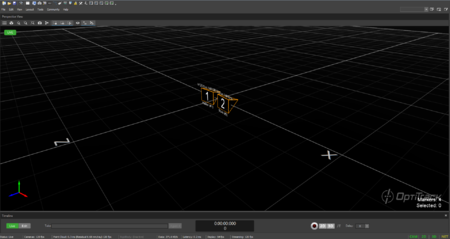
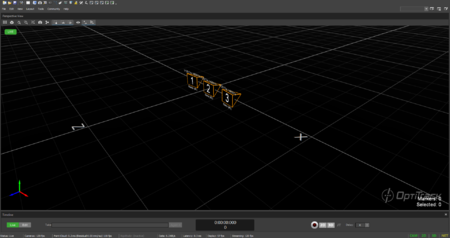
The OptiTrack Duo/Trio tracking bars are factory calibrated and there is **no need to calibrate the cameras** to use the system. By default, the tracking volume is set at the center origin of the cameras and the axis are oriented so that Z-axis is forward, Y-axis is up, X-axis is left.
{% endhint %}

## Tracking Bar Coordinate System

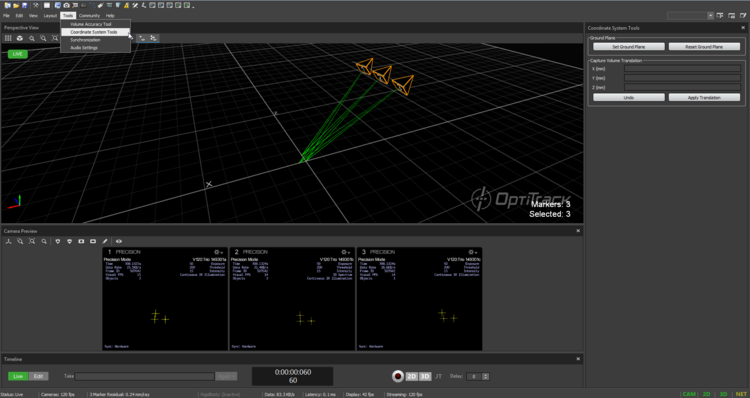
If you wish to change the location and orientation of the global axis, you can use the **Coordinate Systems Tool** which can be found under the Tools tab.

<figure><img src="https://content.gitbook.com/content/M6DLKAZnkJZyY3rN2hqt/blobs/7iTbHdC5CE7xEqng2HQc/image.png" alt=""><figcaption><p>Default coordinate axis for the Trio tracking bar.</p></figcaption></figure>

<figure><img src="https://content.gitbook.com/content/M6DLKAZnkJZyY3rN2hqt/blobs/27jVZyrRclrddRiGJL5d/image.png" alt=""><figcaption><p>Default coordinate axis for the Duo tracking bar.</p></figcaption></figure>

## Coordinate Systems Tool

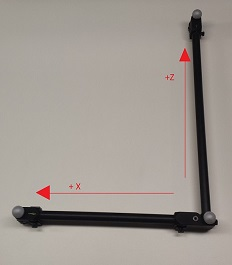
When using the Duo/Trio tracking bars, you can set the coordinate origin at a desired location and orientation using a [calibration square](https://docs.optitrack.com/v3.3/motive/calibration/calibration-squares). Make sure the calibration square is oriented properly.

**Adjusting the Coordinate System Steps**

1. Place the calibration square at the desired origin.
2. **\[Motive]** Open the Coordinate System Tools pane under the Tools tab.
3. **\[Motive]** Select the Calibration square markers from the [Perspective View pane​.](https://docs.optitrack.com/v3.3/motive-ui-panes/viewport#perspective-view)
4. **\[Motive]** Click the **Set Ground Plane** button from the Coordinate System Tools pane, and the global origin will be adjusted.

<figure><img src="https://content.gitbook.com/content/M6DLKAZnkJZyY3rN2hqt/blobs/QvEhTIlIBjNfghn6kJfk/image.png" alt=""><figcaption><p>Using the Coordinate System Tool, which is available only when a tracking bar is connected.</p></figcaption></figure>

<figure><img src="https://content.gitbook.com/content/M6DLKAZnkJZyY3rN2hqt/blobs/p2Uai0XIOiFIzEDyPYe4/image.png" alt=""><figcaption><p>Calibration square axis convention.</p></figcaption></figure>