> For the complete documentation index, see [llms.txt](https://docs.optitrack.com/llms.txt). Markdown versions of documentation pages are available by appending `.md` to page URLs; this page is available as [Markdown](https://docs.optitrack.com/motive-ui-panes/properties-pane/properties-pane-activeio-devices.md).

# Properties Pane: ActiveIO Devices

An in-depth look at the properties available for ActiveIO devices.

## Overview

ActiveIO properties determine how the corresponding ActiveIO device is tracked and provides status information about the device, such as signal strength, battery level, etc. This page covers the properties specific to the following ActiveIO devices:&#x20;

* ActiveIO Puck
* ActiveIO Wand
* ActiveIO Square
* ActiveIO Clips

Select an ActiveIO device in the Devices pane to display the corresponding properties in the [Properties pane](/motive-ui-panes/properties-pane.md). These properties can be modified both in Live and Edit mode.&#x20;

Many ActiveIO devices can also be Rigid Body assets in Motive. This page covers the properties specific to ActiveIO. For information about asset properties, please see the [Properties: Rigid Body](/motive-ui-panes/properties-pane/properties-pane-rigid-body.md) page.&#x20;

To learn more about pairing an Inertial Measurement Unit (IMU) to a Rigid Body, please see the [IMU Sensor Fusion](/motive/imu-sensor-fusion.md) page.&#x20;

For general information on using and customizing the Properties pane, see the [Properties pane](/motive-ui-panes/properties-pane.md) page. For detailed descriptions of properties for other asset types or devices, please see the following pages:

* [Properties: Take](/motive-ui-panes/properties-pane/properties-pane-take.md)
* [Properties: Trained Markerset](/motive-ui-panes/properties-pane/properties-pane-trained-markerset.md)
* [Properties: Skeleton](/motive-ui-panes/properties-pane/properties-pane-skeleton.md)
* [Properties: Camera](/motive-ui-panes/properties-pane/properties-pane-camera.md)
* [Properties: eSync2](/motive-ui-panes/properties-pane/properties-pane-esync2.md)
* [Properties: Force Plates](/motive-ui-panes/properties-pane/properties-pane-force-plates.md)
* [Properties: NI-DAQ](/motive-ui-panes/properties-pane/properties-pane-ni-daq.md)
* [Properties: OptiHub2](/motive-ui-panes/properties-pane/properties-pane-optihub2.md)
* [Properties: eSync2](/motive-ui-panes/properties-pane/properties-pane-esync2.md)

{% hint style="info" %}
**Advanced Settings**

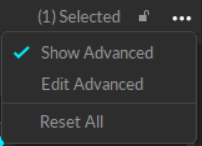
The Properties pane contains advanced settings that are hidden by default. To access these settings, click the <img src="https://content.gitbook.com/content/WkNF2QVM5V7MzRdzoXmL/blobs/MsZSF18nOcqmLTodxZaF/Motive%20Context%20Menu.png" alt="the Motive 3-dot settings menu button. " data-size="line"> button in the top right corner.&#x20;

Use the *Edit Advanced* option to customize which settings are in the *Advanced Settings* category and which appear in the standard view, to show only the settings that are needed specifically for your capture application.&#x20;
{% endhint %}

<figure><img src="https://content.gitbook.com/content/WkNF2QVM5V7MzRdzoXmL/blobs/Iym1rwft7MVqXzQFQKke/Properties%20Pane%20-%20Show%20Advanced.png" alt="The menu to Show Advanced or Edit Advanced settings in Motive. "><figcaption><p>Show or Edit Advanced Settings.</p></figcaption></figure>

## Active Tag Properties

To view properties related to the ActiveIO device, select it from the Active Tag section of the [Devices pane](/motive-ui-panes/devices-pane.md).&#x20;

{% hint style="warning" %}
The properties shown are for ActiveIO devices. Not all are available for Active Classic devices.&#x20;
{% endhint %}

<figure><img src="https://1916997867-files.gitbook.io/~/files/v0/b/gitbook-x-prod.appspot.com/o/spaces%2FWkNF2QVM5V7MzRdzoXmL%2Fuploads%2FK7u0Opw3u5ncE6cUojl0%2FActiveIO%20Standard%20Properties%20and%20Devices%20Pane.png?alt=media&amp;token=34221cee-cbe0-4284-b833-8d5a7a359a8d" alt="The Properties Pane and Devices Pane for an ActiveIO Puck, paired to a Rigid Body."><figcaption><p>Properties Pane for an Active Tag (IMU) paired to a Rigid Body. Standard Properties only. </p></figcaption></figure>

### Details

The Details section displays basic information about the device and IMU.&#x20;

<figure><img src="https://1916997867-files.gitbook.io/~/files/v0/b/gitbook-x-prod.appspot.com/o/spaces%2FWkNF2QVM5V7MzRdzoXmL%2Fuploads%2FbYIEuyCSUh3tjmsdiKjU%2FActiveIO%20Adv%20Properties%20-%20Details.png?alt=media&amp;token=91d78c77-7d01-4c33-a4c9-0d82ad2eac70" alt="The Details section of the ActiveIO device properties, standard and advanced properties shown."><figcaption><p>Standard and Advanced properties in the Details section of the Active Tag properties.</p></figcaption></figure>

<details>

<summary>Device Name</summary>

Identifies the type of device in which the IMU is installed.&#x20;

</details>

<details>

<summary>Tag Type</summary>

Identifies the type of tag in terms of Connection type, number of LEDs, and IMU type, if available.&#x20;

</details>

<details>

<summary>Serial Number</summary>

The serial number of the IMU.&#x20;

{% hint style="info" %}
This property is available for ActiveIO devices only.&#x20;
{% endhint %}

</details>

<details>

<summary>Model (Advanced)</summary>

The internal model number for the IMU.

{% hint style="info" %}
This property is available for ActiveIO devices only.&#x20;
{% endhint %}

</details>

<details>

<summary>Firmware Version <em>(Advanced)</em></summary>

The Firmware version currently installed on the IMU.&#x20;

{% hint style="success" %}
The Firmware will update automatically if necessary when the device connects to Motive.&#x20;
{% endhint %}

{% hint style="info" %}
This property is available for ActiveIO devices only.&#x20;
{% endhint %}

</details>

<details>

<summary>Notes <em>(Advanced)</em></summary>

An open text field for storing custom device information, such as asset tag, location, etc. &#x20;

</details>

### General

The General IMU properties vary depending on the IMU type (ActiveIO or Active Classic) and the connection type (Ethernet or wireless).&#x20;

<figure><img src="https://1916997867-files.gitbook.io/~/files/v0/b/gitbook-x-prod.appspot.com/o/spaces%2FWkNF2QVM5V7MzRdzoXmL%2Fuploads%2FHMJygM1wFarngZjwxfID%2FProperties%20-%20RB%20IMU%20General%20Adv.png?alt=media&amp;token=bc5aaa2b-e11d-4a7f-96f5-cc36da9b01a7" alt="The General section of the ActiveIO device properties, standard and advanced properties shown."><figcaption><p>Standard and Advanced properties in the General section of the Active Tag properties.</p></figcaption></figure>

<details>

<summary>Enabled</summary>

When enabled, the device is available for tracking in Motive.&#x20;

{% hint style="info" %}
This property is available for ActiveIO devices only.&#x20;
{% endhint %}

</details>

<details>

<summary>Connected LEDs <em>(Advanced)</em></summary>

The number of LED active markers on the device.

{% hint style="info" %}
This property is available for ActiveIO devices only.&#x20;
{% endhint %}

</details>

<details>

<summary>Marker State</summary>

* **Off** turns off the LED pulse so the markers are lit continuously.&#x20;
* **ActiveIO** sets the LEDs to pulse on and off according to a preset pattern.&#x20;
* **Synchronized** sets the LEDs to illuminate every frame.&#x20;

{% hint style="info" %}
This property is available for ActiveIO devices only.&#x20;
{% endhint %}

</details>

<details>

<summary>Pattern Group</summary>

A preset collection of LED patterns that ensures a unique ID for each active marker in the device. Pattern groups also make it easier to assign a different set of patterns to each device in the volume.&#x20;

* Pattern groups each specify 8 marker patterns. Devices with more than 8 markers will occupy the selected pattern group and part of the next group.
* Motive will attempt to prevent overlapping patterns with ActiveIO active tags, but cannot directly read or change the pattern group values of Active Classic devices.
* If running an ActiveIO tag and an Active Classic tag concurrently, you can confirm that the markers are in different pattern groups by selecting them in the 3D view and reading the label that appears.&#x20;
* Motive will also notify users when it detects duplicate active patterns in the scene.

{% hint style="info" %}
This property is available for ActiveIO devices only.&#x20;
{% endhint %}

</details>

<details>

<summary>Illumination</summary>

Indicates the amount of time, in microseconds, that the active LEDs will illuminate per frame when the [Marker State](#marker-state) is set to *Synchronized* or *ActiveIO*.&#x20;

By Default, this property is set to match the camera frame rate.&#x20;

</details>

<details>

<summary>Battery Level</summary>

Indicates the amount of battery power available, in percent.

{% hint style="info" %}
This property is available for ActiveIO devices only.&#x20;
{% endhint %}

</details>

<details>

<summary>Signal Strength</summary>

The strength of the RF signal, in decibel-milliwatts (dBm).&#x20;

{% hint style="info" %}
This property is available for ActiveIO devices only.&#x20;
{% endhint %}

</details>

<details>

<summary>Packet Error Rate</summary>

Displays the percentage of:&#x20;

The number of frames where device data is received / number of frames (over the past 3 seconds)

The rate is updated about every 3 seconds.&#x20;

</details>

<details>

<summary>BaseStation <em>(Advanced)</em></summary>

The serial number of the BaseStation where the active device is connected.&#x20;

{% hint style="info" %}
This property is available only for wireless devices that connect to a BaseStation.&#x20;
{% endhint %}

</details>

<details>

<summary>RF Channel <em>(Advanced)</em></summary>

The radio frequency communication channel used to communicate with the BaseStation for wireless devices.&#x20;

This property is available only for wireless devices that connect to a BaseStation.&#x20;

</details>

<details>

<summary>Quality of Service</summary>

The Quality of Service property allows the device to send the IMU packet multiple times on redundant RF channels to reduce dropped packets in difficult RF environments.

{% hint style="info" %}
This property is available for ActiveIO devices only.&#x20;
{% endhint %}

</details>

<details>

<summary>Device State</summary>

Indicates whether or not the device is connected to the instances of Motive:&#x20;

* Advertising: The device is available but not connected to Motive.&#x20;
* Claimed: The device is connected to Motive.&#x20;

For more information on connecting an ActiveIO device, see the [ActiveIO Configuration](/activeio/activeio-configuration.md) page.&#x20;

{% hint style="info" %}
This property is available for ActiveIO devices only.&#x20;
{% endhint %}

</details>

### IMU

The IMU section of the Active device properties contains status information about the IMU.&#x20;

Please see the [IMU Sensor Fusion](/motive/imu-sensor-fusion.md) page for more information on pairing an IMU to a Rigid Body.&#x20;

<figure><img src="https://1916997867-files.gitbook.io/~/files/v0/b/gitbook-x-prod.appspot.com/o/spaces%2FWkNF2QVM5V7MzRdzoXmL%2Fuploads%2FjMXoxDheC5s7mselZi4j%2FProperties%20-%20RB%20IMU%20IMU%20Adv.png?alt=media&amp;token=505fa90b-97bc-4c10-861b-9039be49233a" alt="The IMU section of the ActiveIO device properties, standard and advanced properties shown."><figcaption><p>Standard properties in the IMU section of the Active Tag properties.</p></figcaption></figure>

<details>

<summary>IMU Type</summary>

Identifies the type of IMU in the device.

</details>

<details>

<summary>Paired</summary>

Identifies the rigid body currently paired to the IMU. Lists *None* if the IMU is currently unpaired.&#x20;

</details>

<details>

<summary>Aligned</summary>

Displays the current state of the IMU pairing.&#x20;

* Unpaired&#x20;
* Paired
* Aligned

</details>

<details>

<summary>Uplink ID <em>(Active Classic devices only)</em></summary>

For Active Classic devices, the Uplink ID is a number programmed to a tag that allows its paired BaseStation to identify it uniquely from other tags. This number should be unique for each device associated with a BaseStation. For wireless devices, the Uplink ID is the second component of the Active Tag name in the Devices pane.&#x20;

</details>


---

# Agent Instructions
This documentation is published with GitBook. GitBook is the documentation platform designed so that both humans and AI agents can read, navigate, and reason over technical content effectively. Learn more at gitbook.com.

## Querying This Documentation
If you need additional information that is not directly available in this page, you can query the documentation dynamically by asking a question.

Perform an HTTP GET request on the current page URL with the `ask` query parameter, and the optional `goal` query parameter:

```
GET https://docs.optitrack.com/motive-ui-panes/properties-pane/properties-pane-activeio-devices.md?ask=<question>&goal=<endgoal>
```

`ask` is the immediate question: it should be specific, self-contained, and written in natural language.
`goal` is optional and describes the broader end goal you are ultimately trying to accomplish on behalf of the user. GitBook uses it to tailor the answer towards what is most useful for that goal.

The response will contain a direct answer to the question and relevant excerpts and sources from the documentation.

Use this mechanism when the answer is not explicitly present in the current page, you need clarification or additional context, or you want to retrieve related documentation sections.
