VersaX Camera Ring Light Installation

A guide to installing and removing the optional Ring Light from a Versa camera.

Overview

The VersaX camera line includes an optional ring light that can be installed or removed as needed.

circle-check

VersaX Camera Models and Ring Lights

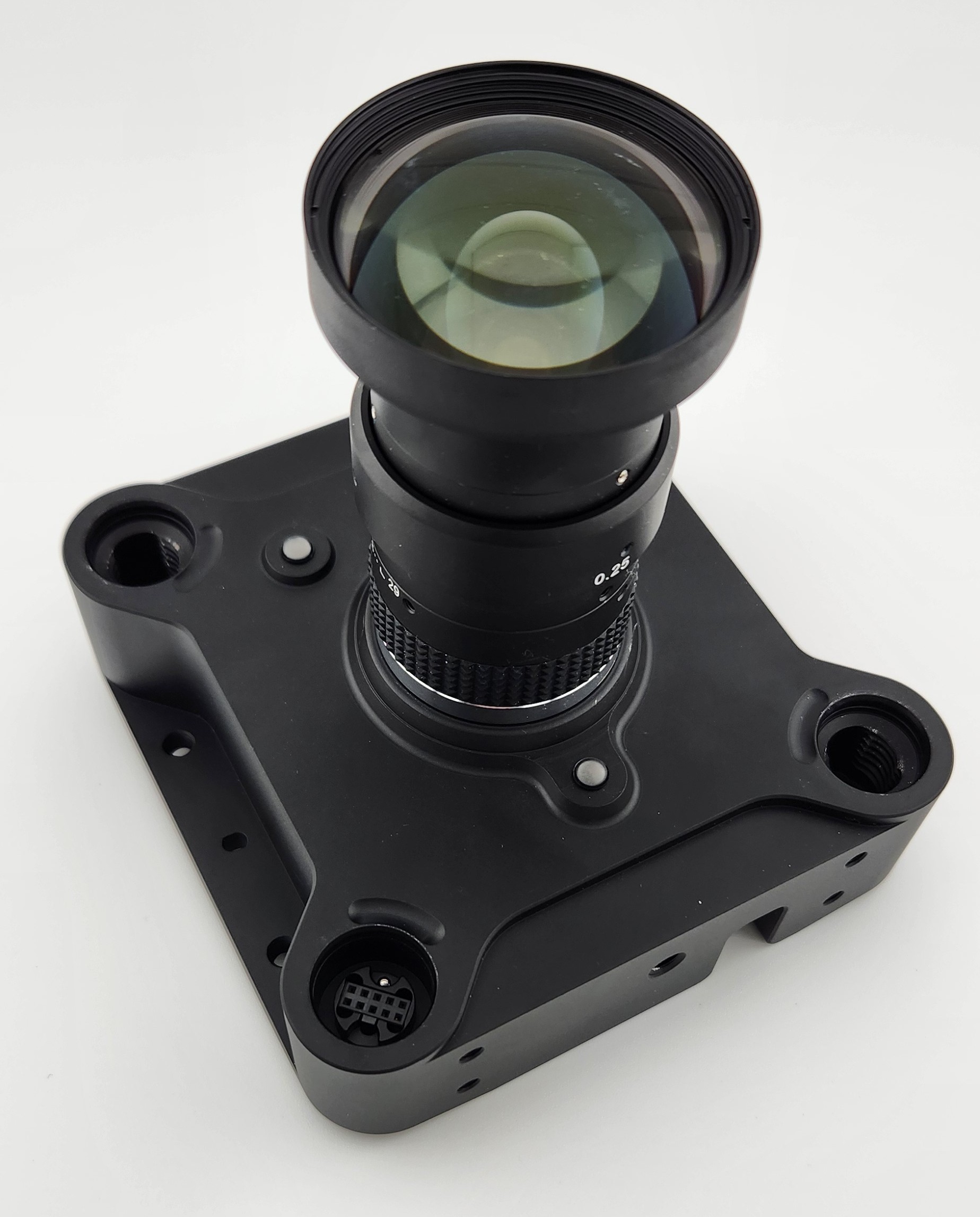
A VersaX 41 camera.
A VersaX Camera prior to attaching the ring light.
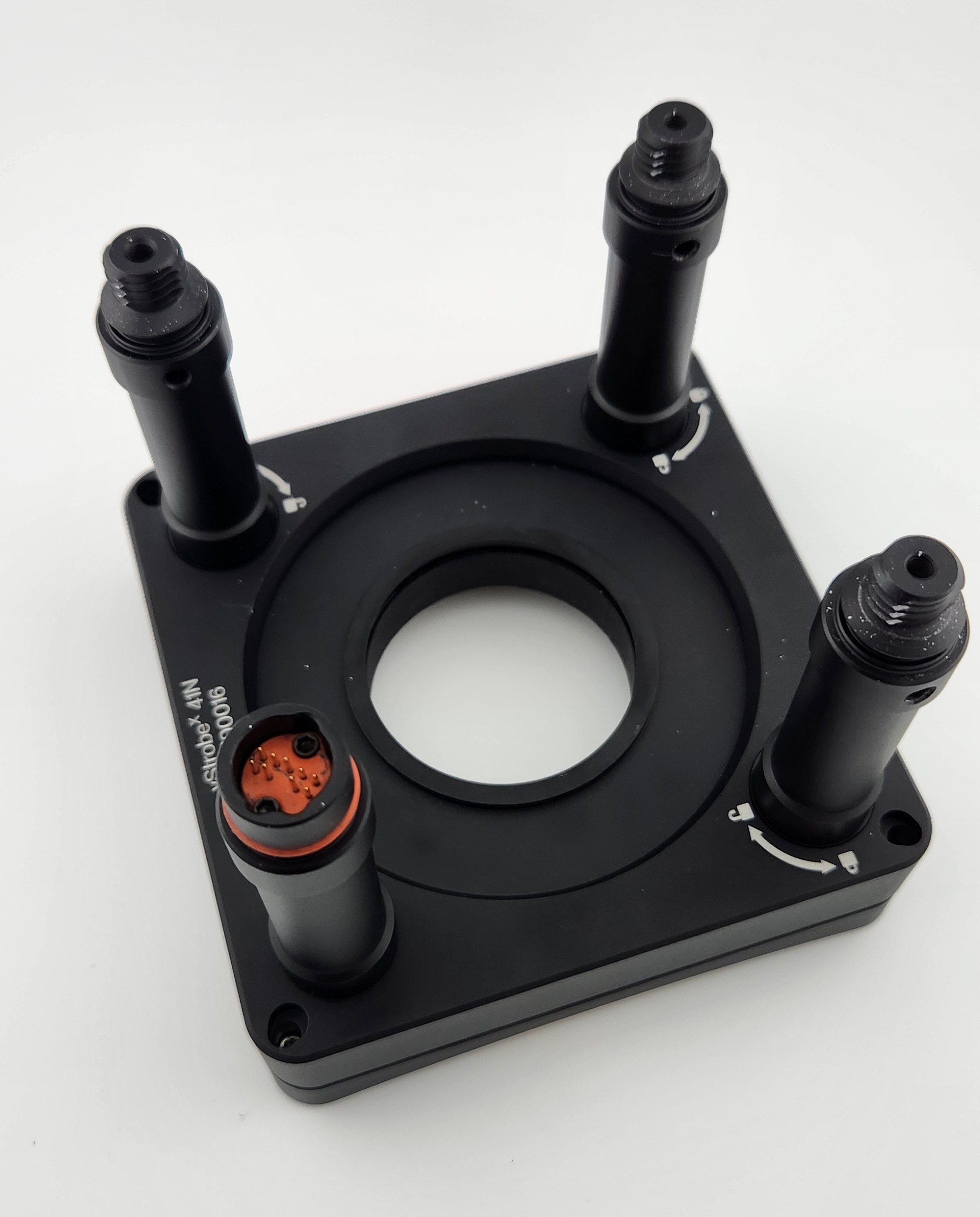
The Ring Light for the VersaX 41 camera.
A ring light for a VersaX camera.

Ring Light Posts

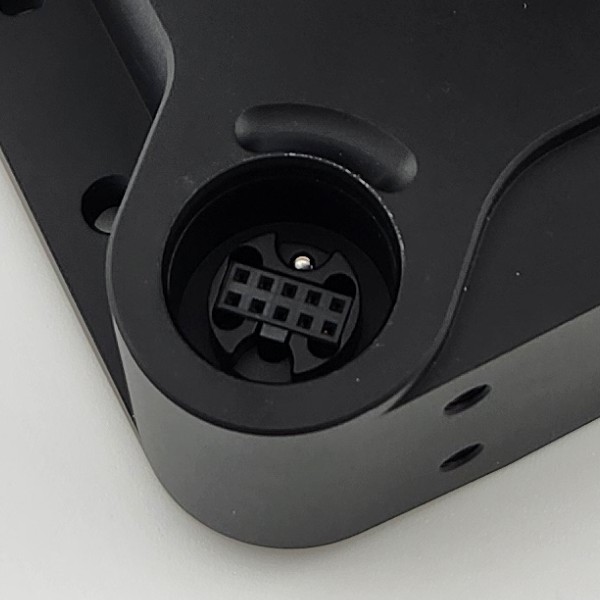
The ring light has 1 post that includes a 9-pin connector to attach to the camera electronically. One of the post holes on the VersaX camera contains the corresponding plug. Make sure the connector is lined up with the correct post hole before attaching the ring light.

The Ring Light connector on the VersaX Camera.
Ring Light Connector on the VersaX Camera.
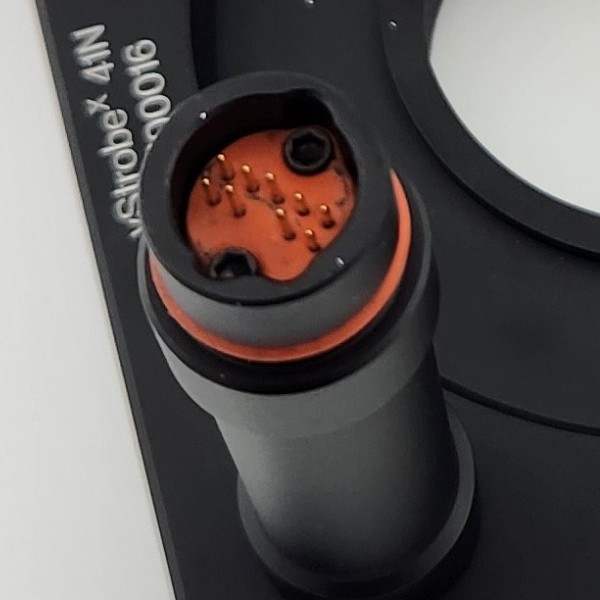
The Ring Light connector on the Ring Light.
The Ring Light Connector on the Ring Light.
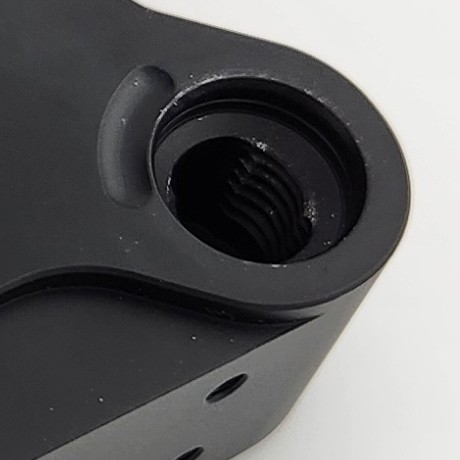
3 posts lock the ring light into the corresponding post holes in the VersaX camera:

Post hole for securing the Ring Light.
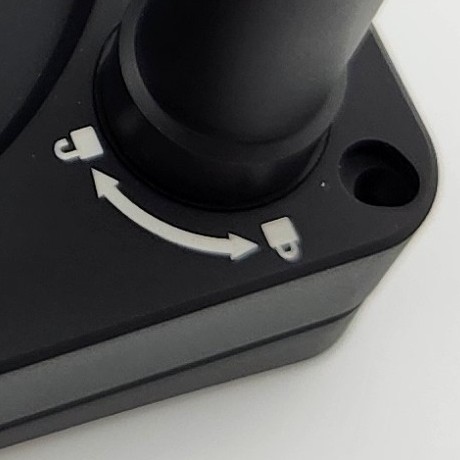
Lock/unlock guide on the Ring Light post.
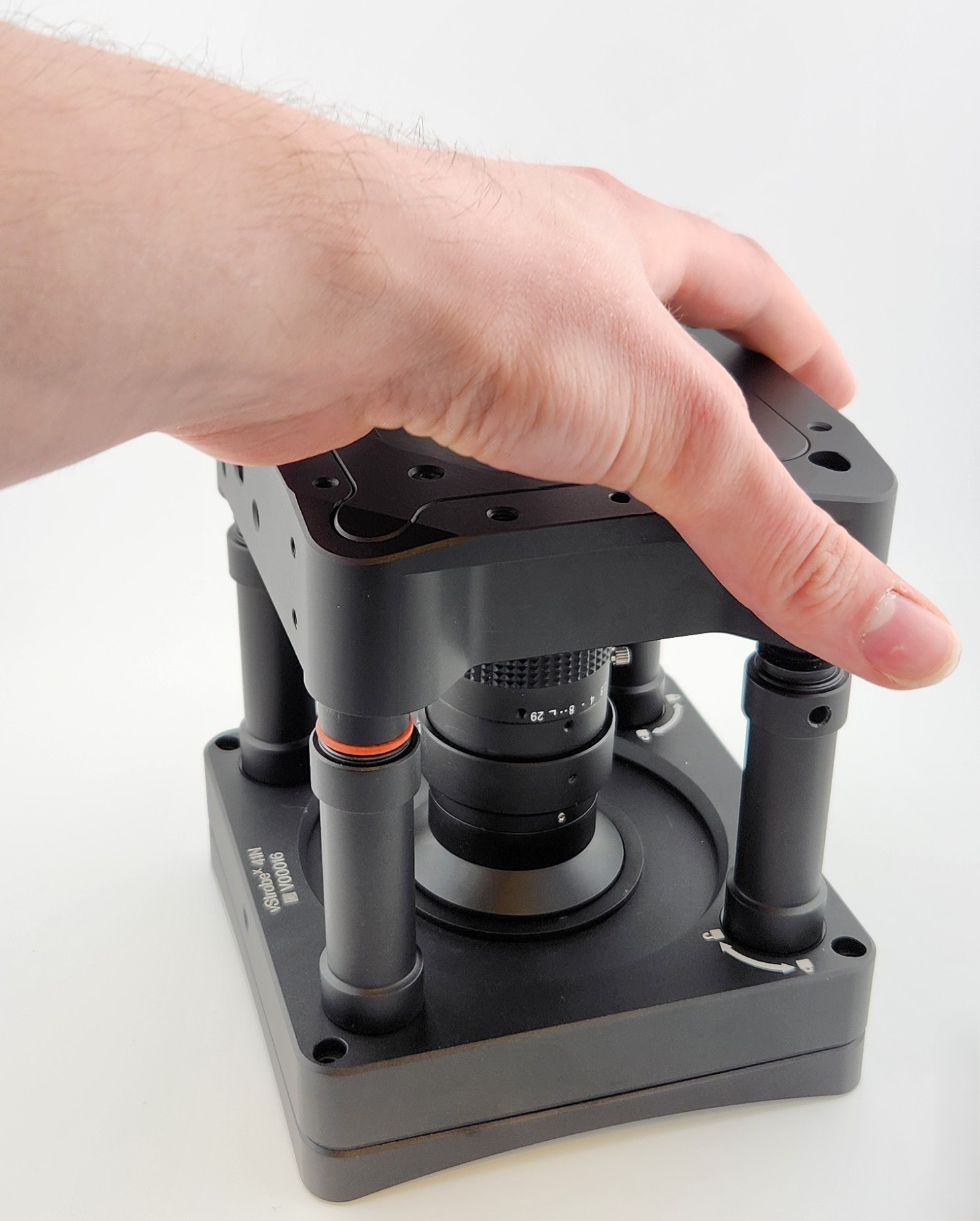

Attaching the Ring Light

  • Place the Ring Light on a secure, flat surface with the posts pointing up.

  • Align the camera so the Ring Light Connector inserts into the corresponding Connector post hole on the camera.

  • Ensure that the Connector is properly and fully inserted into the camera.

A photo of a hand setting the VersaX camera onto the Ring Light.
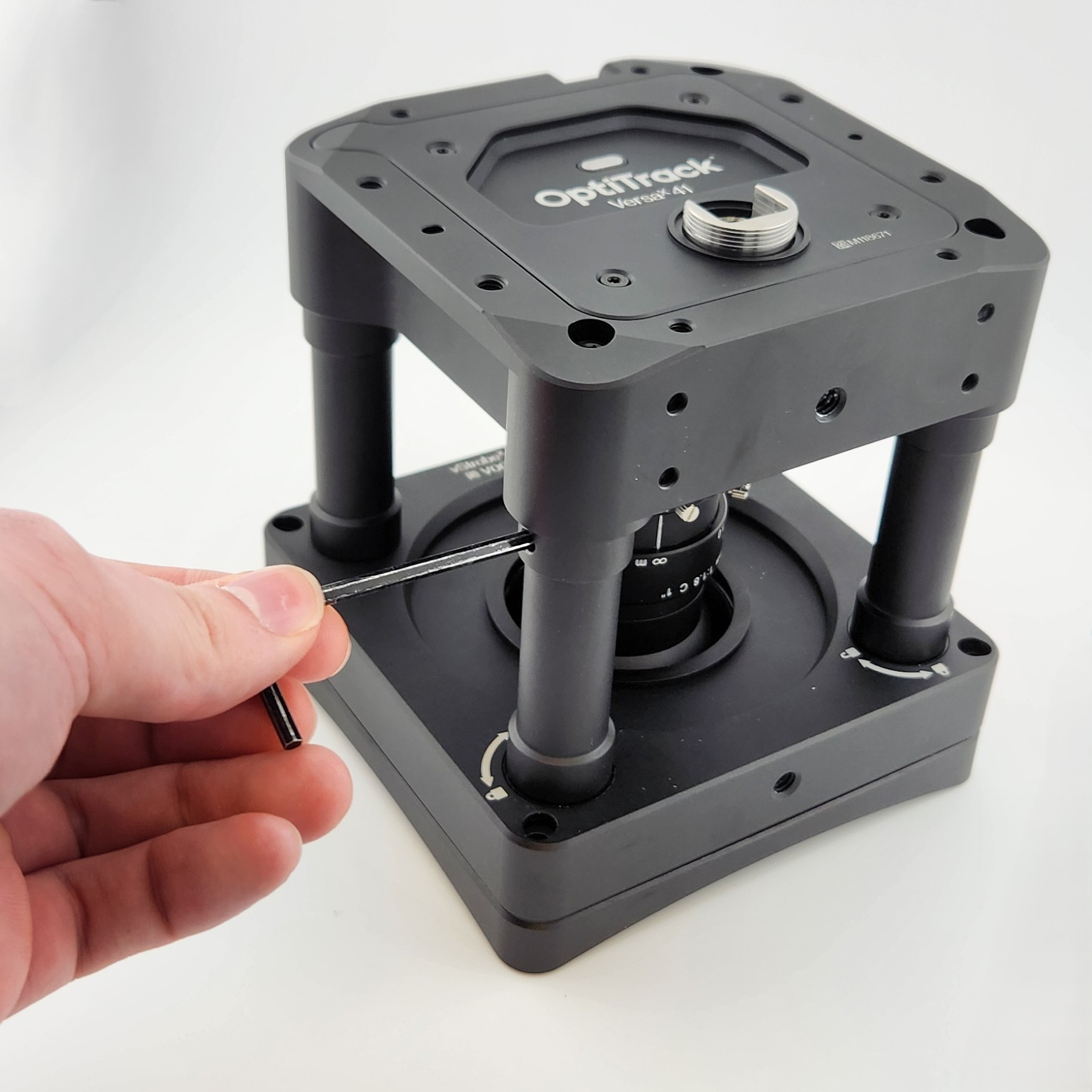
Setting the VersaX camera onto the Ring Light.

Locking the Ring Light

Using the tool provided with the Camera Ring Light, lock the remaining 3 posts in place to secure the Ring Light onto the camera.

  • Insert the locking tool into the hole at the top of the post, just below the camera base.

A photo of a hand inserting the locking tool into the locking mechanism on the VersaX ring light.
Inserting the Locking Tool into a Post.
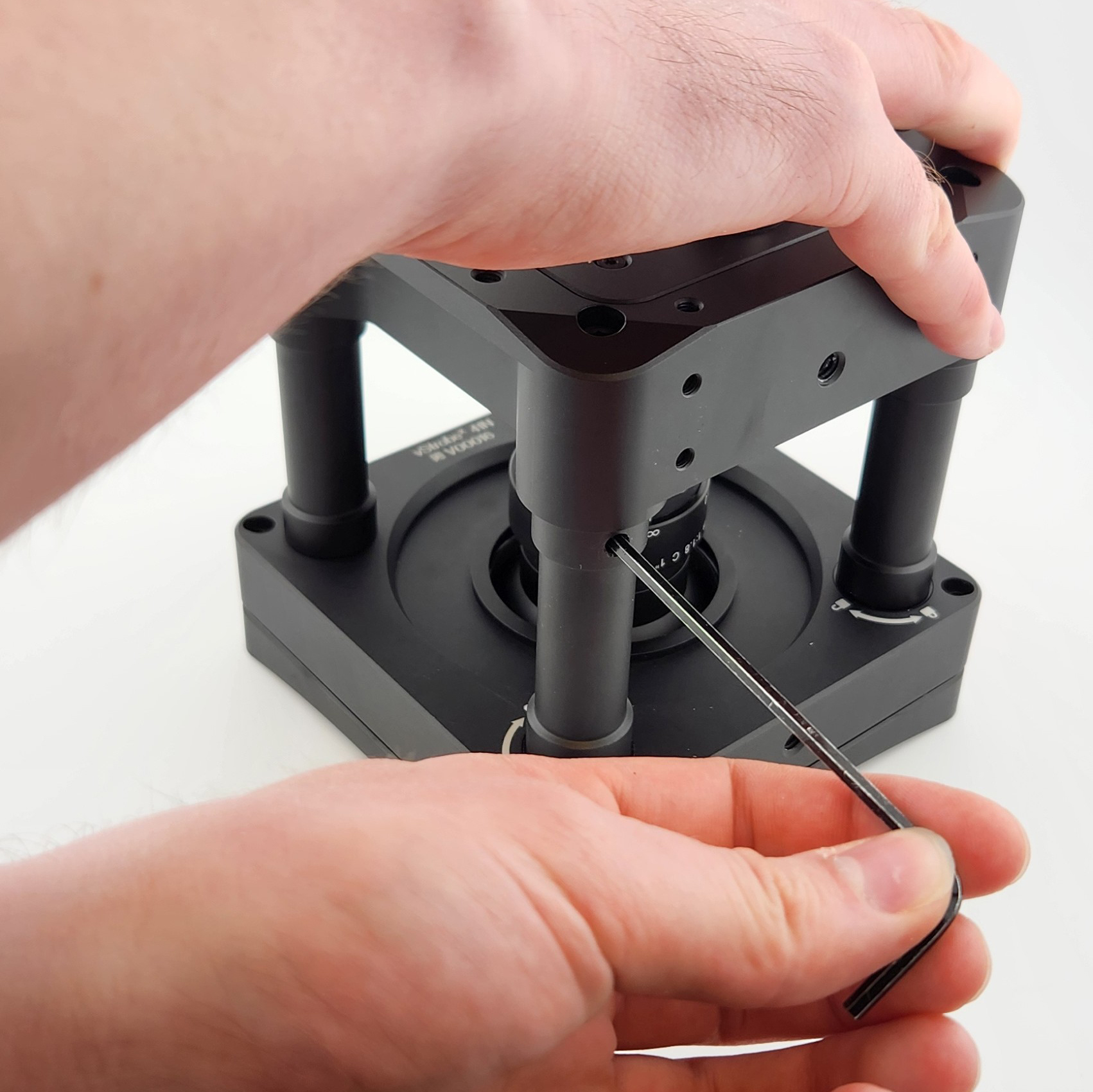
  • Use the locking tool to turn the post in the direction shown on the graphic where the post connects to the Ring Light. Note that the locking hole does not line up with the graphic.

  • Repeat until all 3 posts have been locked in place.

circle-info

We recommend turning all 3 posts slightly to engage the threads before fully tightening each. If the first post is fully tightened before the other two, It may be more difficult to turn the remaining posts.

A photo of hands Locking a Post in Place with the Locking Tool.
Locking a Post in Place with the Locking Tool.

Removing the Ring Light

To remove the Ring Light, use the Locking Tool to unlock the posts, then gently but firmly remove the camera from the Connector post.

Last updated

Was this helpful?